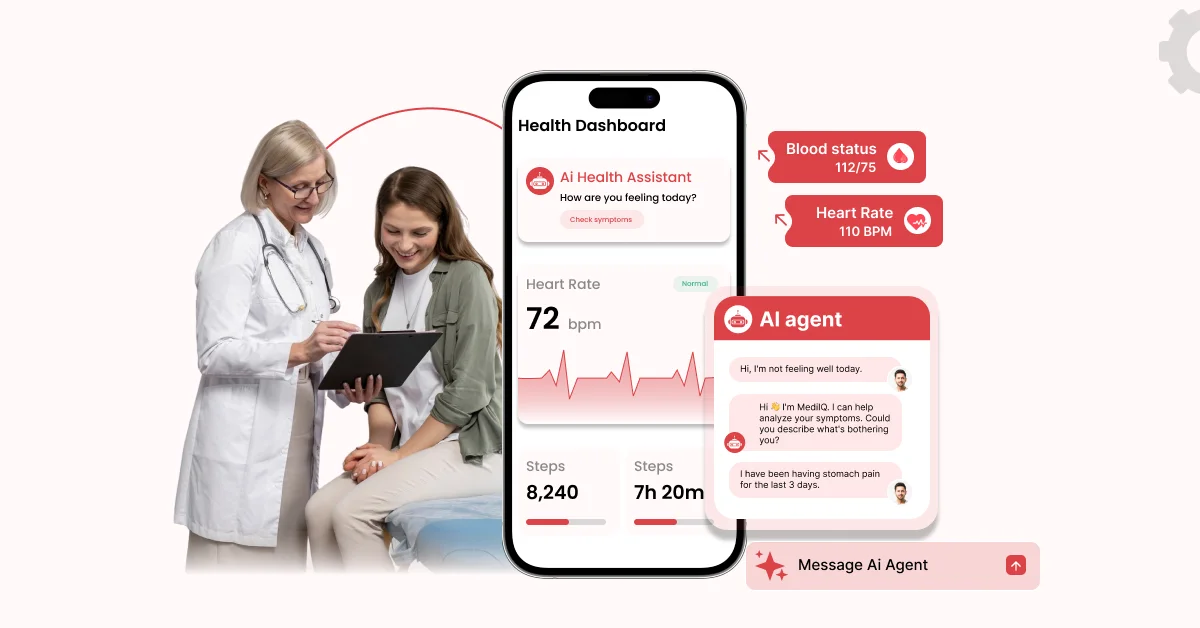
Short Answer: In 2026, hospitals can build AI apps for scheduling and no-show prevention, post-discharge follow-up, symptom intake and triage, patient Q&A, bed and capacity planning, nurse handoff, ambient clinical documentation, and internal workflow tools. Start with low-risk, high-volume tasks; keep a clinician in the loop on anything clinical, sign a business associate agreement (BAA) with any vendor that touches patient data, and pilot one workflow before scaling.
Hospital teams are being asked to do more with the same people. Clinicians spend hours on notes, nurses start every shift catching up on handoffs, and patients still wait on hold to book visits.
AI apps can take some of the load off, but only if you choose the right workflow first. This guide covers what hospitals can build for patients and staff in 2026, what to buy instead, and which rules to plan for.
Why Are Hospitals Building AI Apps in 2026?
Hospitals are building AI apps because clinical and nursing workloads keep increasing, patients want easier access, and the technology is now reliable enough for routine use. Since 2023, physicians’ AI use has more than doubled, ambient documentation is already common, and nursing shortages are expected to last for years.
Here is the evidence behind that shift:
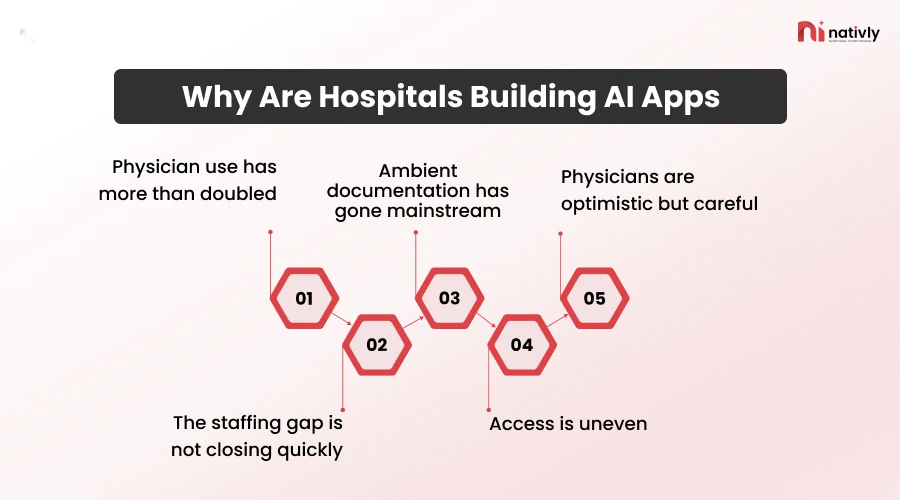
- Physician use has more than doubled: The AMA’s 2026 survey of 1,692 physicians found 81% reported awareness or use of AI in their practice, up from 38% in 2023 (AMA).
- The staffing gap is not closing quickly: Health Resources and Services Administration’s (HRSA) workforce projection points to a nationwide shortage of about 208,000 full-time-equivalent registered nurses by 2037 (HRSA).
- Ambient documentation has gone mainstream: A study in the American Journal of Managed Care found that 62.6% of 2,784 Epic-using hospitals had adopted an ambient AI documentation tool by June 2025 (AJMC).
- Access is uneven: The same AJMC study found reported ambient AI adoption of 64.7% in metropolitan hospitals versus 54.3% in nonmetropolitan ones.
- Physicians are optimistic but careful: In coverage of the AMA survey, 86% said data privacy and 88% said safety validation are critical to broader adoption (Radiology Business), and 85% want to be consulted on AI adoption decisions (Healthcare Innovation).
So the useful question in 2026 is less “should we use AI?” and more “which workflow do we start with, and how do we keep it safe?”
What AI Apps Can Hospitals Build for Patients?
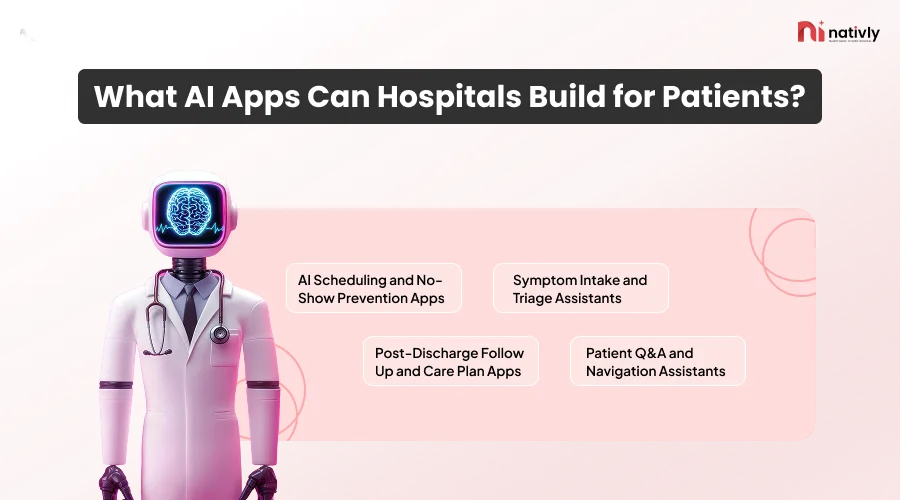
Patient-facing AI apps suit people who need fast, repeatable help: booking an appointment, preparing for it, understanding next steps, and tracking after discharge. These apps create a hospital’s digital front door. They also matter for clinical safety and disclosure rules, so design a path to a human from day one.
AI Scheduling and No-Show Prevention Apps
An AI scheduling app lets patients book, reschedule, and confirm visits by text or in an app, while a prediction model flags visits likely to be missed so staff can reach out first. It diminishes phone volume and empty slots without adding front-desk work.
How It Typically Works:
- Patients pick or change a slot by text message or in a mobile app.
- A model scores every appointment for no-show risk when it is booked and again closer to the visit.
- Staff use the score to send extra reminders, offer transport help, or fill the slot from a waitlist.
There’s a real-world example. Mount Sinai deployed a no-show model through Epic’s infrastructure that schedulers use for prioritized follow-up, targeted outreach, and strategic overbooking (arXiv).
One reported quality-improvement project paired predictive analytics with phone reminders for high-risk patients and cut outpatient MRI no-shows from 19.3% to 15.9% in six months (NLM).
Treat outcomes like these as a theory to test in your own pilot, not a guarantee. Also watch for fairness: overbooking should never reduce access for patients who miss visits because of work or transport constraints.
Symptom Intake and Triage Assistants
A symptom intake assistant asks structured questions before a visit, collects history, and routes the patient to the right level of care. The safest design gathers and routes information for a clinician rather than diagnosing the patient.
Useful features include automatic pre-filling of intake forms, plain-language question flows, and clear escalation when answers suggest an emergency. Keep the clinical logic connected to protocols your clinicians have approved.
Caution is warranted. Physicians in the AMA survey usually supported patients using AI for general health and medication questions but were suspicious of using it for tasks that need clinical judgment (AMA).
Regulators have not clarified the rules for patient-facing chatbots in recent software guidance (more on that below). So, clearly document the chatbot’s purpose, limitations, and rules for referring patients to healthcare professionals.
Post-Discharge Follow-Up and Care Plan Apps
A post-discharge app checks in with patients after they go home, reminds them of appointments and medications, asks about symptoms, and alerts a nurse when answers look worrying. It targets the time stretch when patients are most likely to fall through the cracks.
A practical version includes:
- Daily or weekly check-in questions tailored to the patient’s condition
- A one-tap way to message or call the care team
- Medication and follow-up appointment reminders
- Escalation rules that send concerning answers to a nurse, not to a chatbot reply
This is a strong option for building rather than buying, because the value comes from your own pathways and wording.
Patient Q&A and Navigation Assistants
A navigation assistant answers non-clinical questions: where to park, which entrance to use, how to get ready for a procedure, what a bill covers, and what visiting hours are. It should answer only from hospital-approved content and hand off to a person when it’s unsure.
Keeping the assistant limited to approved documents makes it easier to audit and reduces the risk of confident but wrong answers. If it ever starts discussing clinical information, state disclosure rules can apply (covered below).
What AI Apps Can Hospitals Build for Staff?
Staff-facing AI apps generally show value faster than patient-facing ones. Users are trained, workflows are defined, and a manager or clinician reviews the output before it affects care.
The four most common categories are documentation, capacity planning, handoff, and internal workflow tools.
Ambient Documentation and Clinical Note Apps
Ambient documentation tools listen to a patient visit, draft the clinical note, and place it in the EHR for the clinician to review and sign. This hospital AI app category is widely adopted today. For most hospitals, it’s a buy, not build, because they need deep EHR integration.
The evidence is inspiring but fair. In an arbitrary trial published in NEJM AI, researchers assigned 238 physicians across 14 specialties to one of two AI scribes or a control group.
Nabla users spent 9.5% less time writing each note, while DAX users showed no noticeable change; both groups reported possible improvements in burnout-relevant measures that the authors say need confirmation in large trials (Drugs.com summary; NEJM AI). The authors also note that occasional errors mean clinicians should stay vigilant.
Also, check your state’s rules. One regulatory tracker lists Louisiana as requiring disclosure before AI transcription and Rhode Island as requiring notice and precision review for AI visit documentation (VeroScribe).
Nurse Handoff and Task Prioritization Apps
A nurse handoff app summarizes pending tasks, unacknowledged results, and open orders at shift change so the incoming nurse sees what needs attention first. The charge nurse or nurse confirms every item; the AI only organizes and highlights.
This is a good fit for a mobile-first build because nurses work on their feet, not at a desk. With HRSA projecting constant RN shortages, anything that reduces handoff preparation time and missed follow-ups is worth piloting. A common design pattern is a unit-level queue of flagged items with a clear “confirmed” step for the responsible nurse.
Internal Workflow, Checklist, and Knowledge Apps
Internal workflow apps replace paper forms and spreadsheets with mobile checklists, reporting, and approvals. A knowledge assistant can also answer staff questions using approved policies and protocols, with links to the source document. These are usually the lowest-risk apps to start with, especially when patient data is not involved.
Examples include equipment checks, rounding checklists, incident reports, shift swap requests, and onboarding guides. Because the logic is your own process rather than a clinical algorithm, these apps suit no-code and low-code builders well.
Which Hospital AI Apps Should You Build Versus Buy?
Buy when an app needs deep EHR integration and Food and Drug Administration (FDA) scrutiny. Build or configure when the app expresses your own workflow, patient journey, or branding. Many hospitals do both: they buy the clinical engine and build the experience around it.
| App type | Typical path | Risk level | Why |
| Ambient documentation | Buy | High | Writes into the clinical record; needs EHR integration and accuracy validation |
| Imaging and diagnostic AI | Buy (FDA-cleared tools) | High | Image-analysis software generally stays under FDA oversight |
| Symptom intake and triage | Build on approved protocols, or buy | Medium to high | Clinical content and escalation rules must be validated |
| AI scheduling and reminders | Build or buy | Low to medium | Mostly operational; connects to your scheduling system |
| Post-discharge check-ins | Build or configure | Medium | Reflects your own care pathways |
| Patient navigation Q&A | Build | Low to medium | Answers come from your approved content |
| Nurse handoff | Build or buy | Medium | Needs EHR data and nurse confirmation |
| Bed and capacity dashboards | Build or buy | Low to medium | Depends on ADT and scheduling feeds |
| Internal checklists and workflows | Build | Low | Your process, often no patient data |
If you are seeking guidance on how much to manage yourself, Nativly’s comparison of self-serve AI app builders and managed enterprise services and AI app builders vs. traditional development includes the trade-offs in cost, speed, and control.
What Rules Apply to Hospital AI Apps in 2026?
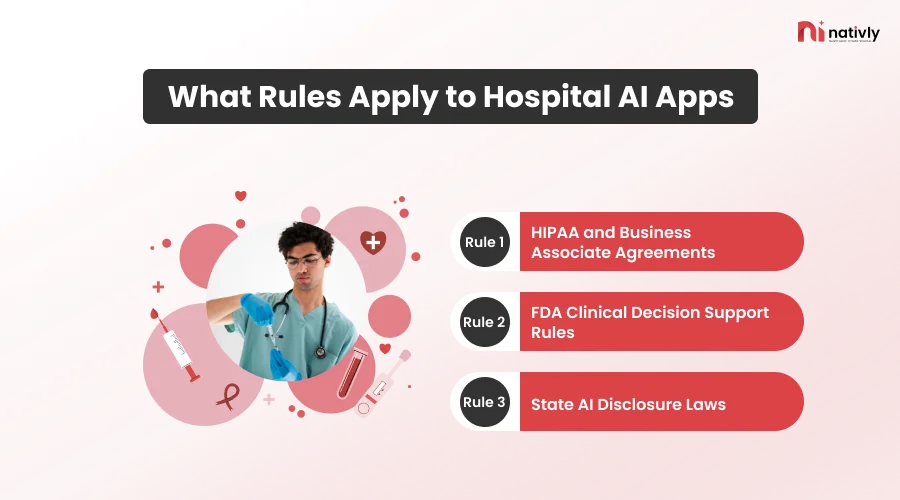
Three layers of rules can apply to the same app: HIPAA for patient data, FDA policy for software that influences clinical decisions, and state laws on AI disclosure. Requirements vary by state and feature, so involve your compliance team and counsel.
HIPAA and Business Associate Agreements
HIPAA has no AI-specific provisions, but it applies whenever an AI system manages protected health information (PHI). A vendor that handles PHI for you is generally a business associate and needs a signed BAA before data moves (B.D. Emerson).
The BAA decides whether the vendor may train models on your data, how long it keeps data, and which subcontractors can see it. Nativly’s guide to building HIPAA-compliant apps with AI covers these safeguards in more depth. Before launch:
Map every place patient data enters, moves through, or leaves the app.
Confirm in writing whether the vendor will sign a BAA and how it handles model training.
Require role-based access, audit logs, and encryption, and include the AI components in your security risk analysis.
For a vendor-neutral list of what to ask, see Nativly’s Enterprise AI App Builder Security Checklist: SSO, RBAC, Data Residency, and Audit Logs.
FDA Clinical Decision Support Rules
In January 2026, the FDA revised its clinical decision support (CDS) guidance so more clinical-facing software can fall outside device regulation, as long as clinicians can independently review the basis for a recommendation.
Software that analyzes medical images stays under FDA oversight (ACR). The guidance doesn’t address patient-facing chatbots (MedAI Directory), so get regulatory advice if your app could act as a device.
State AI Disclosure Laws
Several states now require hospitals to tell patients when AI is involved. California’s AB 3030 requires a disclaimer and a way to reach a human on generative-AI patient messages about clinical information, unless a licensed provider reviewed them (Clunic).
Texas’s 2026 requirements include telling patients when AI is used in their case (VertiComply). A BAA doesn’t pass these duties to your vendor, so add a visible AI label, a “talk to a person” option, and a clinician review step for AI-written clinical messages.
How Can a Hospital Build an AI App Step by Step?
Choose one workflow, classify its risk, map the data, pick a build path, integrate with existing systems, keep humans in the loop, pilot with clear measures, and then scale. Most failures come from skipping the first two steps and trying to do too much at once.
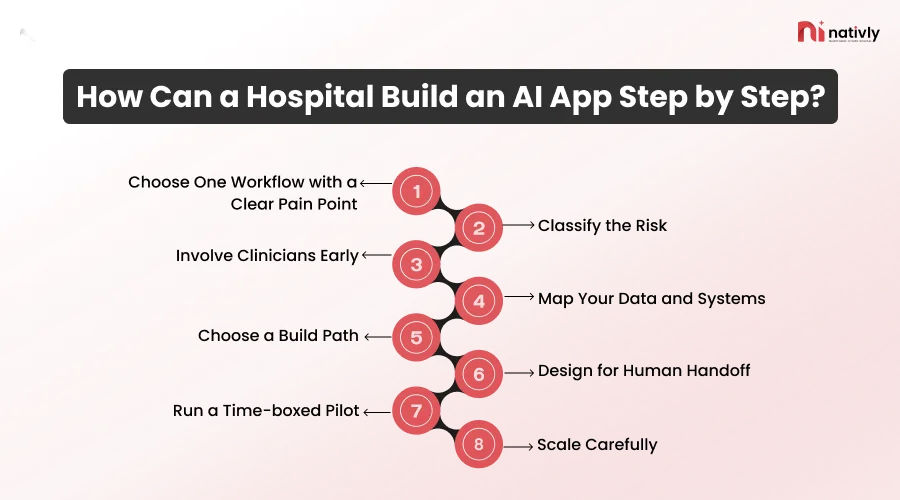
1. Choose One Workflow with a Clear Pain Point
Start by measuring one specific problem in one clinic or hospital unit, rather than trying to improve everything at once.
2. Classify the Risk
Decide whether the app handles PHI, influences clinical decisions, or talks to patients directly, and plan reviews accordingly.
3. Involve Clinicians Early
Involve doctors and nurses from the beginning when developing a healthcare AI app, rather than asking for their feedback only after the app is built.
4. Map Your Data and Systems
List the EHR, scheduling, and messaging systems the app should connect to. Nativly’s guide to integrating AI-built apps with ERP, CRM, and legacy systems explains common integration options.
5. Choose a Build Path
Decide what to buy, configure, and build. Nativly’s complete guide to building enterprise apps with AI walks you through the process.
6. Design for Human Handoff
Include escalation, an audit trail, and disclosure labels.
7. Run a Time-boxed Pilot
Set measures before launch, like no-show rate, patient response rate, handoff time, or error reports. Nativly’s article on why most enterprise AI pilots fail is a useful pre-mortem.
8. Scale Carefully
Test security, load, and support before rolling out. These scalability questions can guide review for enterprise AI apps.
Where Does a No-Code Native App Builder Fit in a Hospital?
A no-code native app builder fits best at the app layer: patient and staff mobile experiences, internal workflow tools, and pilots that need to reach both Android and iOS quickly. It’s not the place to build regulated clinical engines such as imaging AI or an ERP-embedded scribe.
Nativly AI is developed for native Android and iOS apps, not web wrappers. You describe your idea; the AI builds it, and Nativly’s engineers help make it production-ready, with code ownership and GitHub Export. That profile suits various hospital use cases:
- A patient navigation app with approved answers, directions, and prep instructions
- A post-discharge check-in app that routes worrying answers to a nurse
- Nurse and facilities checklists that replace paper and spreadsheets
- Incident reporting and approval workflows for staff
Before any patient data reaches a platform, ask the vendor, including Nativly, about its BAA and security documentation, audit logs, SSO and role-based access, data residency, and how it connects to your EHR. As with any no-code tool, highly complex logic may still need developer input.
Nativly’s guide on how to choose an AI app builder for your enterprise offers a step-by-step process, and its roundup of enterprise use cases for AI app builders shows how other organizations apply the approach. For a wider market view, see the best AI mobile app builders in 2026.
Conclusion
In 2026, hospitals can build AI apps for patients, such as intake, scheduling, navigation, and discharge follow-up, and for staff, such as documentation, capacity planning, handoff, and workflow tools.
The best results come from choosing one low-risk workflow, buying what needs deep clinical integration, staying within HIPAA, FDA, and state rules, and building the experience around your process.
FAQs
Q1. What are examples of AI apps hospitals use?
Common examples of AI apps hospitals use include ambient documentation tools, AI scheduling and reminder apps, symptom intake assistants, post-discharge check-in apps, patient navigation assistants, nurse handoff tools, bed and capacity dashboards, and internal workflow apps. Ambient documentation is the most widely adopted, with 62.6% of studied Epic hospitals using it by mid-2025.
Q2. Are AI hospital apps HIPAA compliant?
No AI app is compliant automatically. HIPAA applies whenever an app handles protected health information, and vendors that handle it are usually business associates who must sign a BAA. Compliance depends on how the app is configured, who can access data, and how it is monitored.
Q3. Can hospitals build their own AI apps?
Yes. Hospitals can build apps for their own workflows, such as patient navigation, check-ins, and staff checklists, using in-house teams, agencies, or no-code builders. Tools that need deep EHR integration or FDA scrutiny, such as ambient scribes and imaging AI, are usually bought from specialized vendors.
Q4. Do AI apps for hospitals need FDA approval?
Sometimes. In January 2026, the FDA revised its clinical decision support guidance, and some clinician-facing software can fall outside device regulation if clinicians can review the basis for its recommendations. Image-analysis software and time-critical tools generally face more scrutiny. Ask a regulatory specialist about your specific feature.
Q5. Will AI apps replace nurses or doctors?
No. The AMA says augmented intelligence should enhance, not replace, physicians, and nurse-facing apps are designed to reduce administrative load while a nurse confirms each decision. The goal is more time with patients, not fewer clinicians.
Q6. What is the best first AI app for a hospital to build?
Start with a low-risk, high-volume workflow. Scheduling and reminders, patient navigation, and internal checklists are common choices because they are measurable, involve limited clinical judgment, and are easy to hand off to a human.