Short Answer: AI app builders stall because the last 20% needs judgment: security, edge cases, native features, and store compliance. At this point, engineers perform. You can keep prompting, hire a freelancer or agency, or use a builder with engineers included. For a public app with payments and user logins, the third option can be a faster route to launch.
Why Do AI App Builders Stall at 80%?
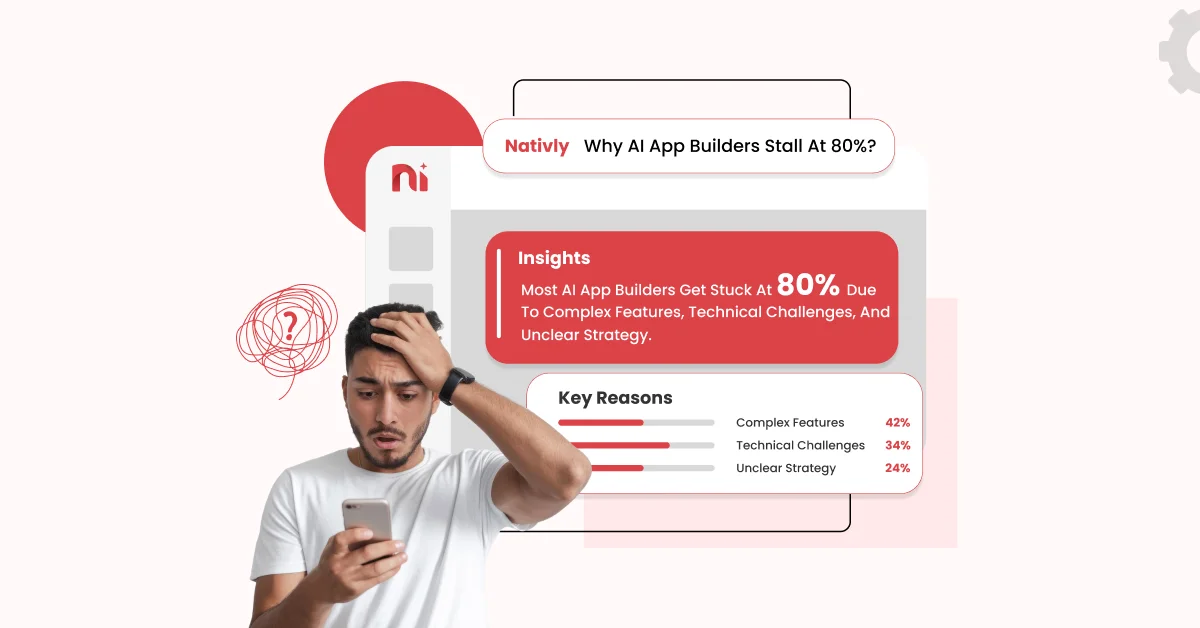
AI builders manage the repeatable part of an app well: navigation, screens, and basic flows. They stall on the judgment part, like security, edge cases, native device features, and Google Play or App Store rules. Human engineers generally finish that part.
If you have built something with an AI app builder and feel stuck just at the release stage, you are not doing anything wrong. It’s the common spot where most projects slow down.

What Does the First 80% of an AI-Built App Look Like?
The first 80% gives you a convincing demo. You get screens that look right, working navigation, a few basic flows (sign up, save, browse), and sample data. It runs on your phone, and you can show it to a friend or investor.
- Clean, consistent screens
- Happy-path flows that work when you tap in the expected order
- Placeholder content and test data
- A preview that feels real
What’s missing is everything that happens when users do unplanned things, when real money moves, or when an Apple reviewer opens your app. That’s the gap.
What Stalls in the Last 20%?
Five zones cause most of the delays: native features, authentication and payments, store rejections, performance and bugs, and security gaps. Each may look like a small task in a prompt but requires considerable work in practice.
Auth and Payments
Logging in works in the demo. In production, you also need expired sessions, password resets, account deletion, social-login edge cases, and subscription states like renewals, trials, failed charges, and refunds. A purchase that works once in testing can still fail when a user restores purchases on a new phone or a card is declined.
Native Features: Push, Camera, and Offline
Native apps depend on device behavior and permissions that vary between Android and iOS. Push notifications need tokens, certificates, and permission prompts. Camera access needs clear permission copy. Offline mode requires a plan for what happens to data created without a connection. These are rarely solved by one prompt.
Performance and Bugs
Generated code usually works but is challenging to maintain: slow lists, duplicated logic, memory leaks, and screens that break on smaller phones. We cover this in more depth in our guide to AI-generated code quality problems.
App Store and Google Play Rejections
Apple reviews the app, not the tool that wrote it. AI-built apps get rejected for the same reasons as any other app: thin functionality under Guideline 4.2, missing privacy disclosures, crashes, or spam-like similarity to other apps.
Google Play has its own testing requirements. Personal developer accounts created after November 13, 2023 should run a closed test with at least 12 testers for 14 consecutive days before applying for production access, so first launches take longer than most people expect. For fixes, see our guide on why your AI-generated app got rejected by the App Store and how to fix it.
Security Gaps
This is the one people underestimate. Veracode’s 2025 GenAI Code Security Report found that AI-generated code introduced security vulnerabilities in 45% of its test cases. Common issues include weak access rules, unvalidated input, and exposed keys. A human security review can catch issues that a prompt may overlook.
Why Does AI Keep Getting Stuck?
AI builders get stuck because they work one prompt at a time. As a project progresses, the tool can lose track of earlier decisions, fix one bug but create another, or undo something that worked. Each retry can also cost credits.
- Loops: The same fix is repeated with small variations.
- Forgotten Context: Rules you set early (data structure, naming, design) get ignored later.
- Credit Burn on Redos: Every regeneration uses your allowance, even when the result is no better.
When you notice that you are rewriting the same prompt for the third time, it is generally a sign that you should hand the problem over to a person.
What Are Your 3 Options for Finishing the Last 20%?
You can keep prompting, hire a freelancer or agency, or use a builder that includes engineers. The right choice depends on your app’s complexity, budget, and launch deadline.
| Option | Pros | Cons |
| Keep prompting | Lowest upfront cost; full control; fine for simple apps | Loops and credit burn; no one checks security or store rules; can stall for weeks |
| Freelancer or agency | Human judgment; flexible scope | Must understand AI-generated code first; scoping and handoff take time; costs can rise |
| Builder with engineers included | One team owns build and finish; no handoff; engineers know the platform’s code. | Less choice of vendor; scope depends on the plan you pick |
Not sure which one fits? Our guide to the best AI mobile app builders compares the main platforms, and the step-by-step guide to choosing an AI app builder covers larger teams.
How Does Nativly Finish the Last 20%?
Nativly builds native Android and iOS apps from plain-English descriptions, then has engineers help make them production-ready. That eliminates the handoff between the AI draft and the finished app.
Engineers review and fix, for example:
- Authentication and payment flows
- Push notifications, camera, offline behavior, and other native features
- Bugs, performance, and code structure
- Security checks on data access and keys
- App Store and Google Play submission requirements
- Timeline: Depends on your project type and requirements. Contact the team for more details.
- Pricing: Nativly’s published plans start at $19 per month, with an MVP Launch plan at $199 per month and custom quotes for enterprises, according to Nativly’s published comparison guide.
Wondering whether to build on your own or have the team manage it? Read: Self-Serve AI App Builder vs. Managed Enterprise Service: Which Model Fits Your Team?.
Is Your App Production-Ready? A 10-point Checklist
An app is production-ready when it performs for real users, safeguards their data, and meets store rules. Check every item below before you submit.
- Sign-up, login, logout, and password reset work, including on a poor connection
- Account deletion is available inside the app
- Payments and subscriptions are tested for success, failure, refund, and restore
- Push notifications and permission prompts work on both iOS and Android
- The app handles offline or slow-network states without crashing
- Access rules stop one user from seeing another user’s data
- No API keys or secrets are exposed in the app code
- The app runs smoothly on older and smaller phones
- Privacy policy, data disclosures, and store listing are complete and accurate
- The app does real, useful things beyond a repackaged website (Guideline 4.2)
If you can’t check off at least eight items, your app probably still needs work before launch.
FAQs
Q1. Why do AI app builders stop working at 80%?
The first 80% is repeatable: screens, navigation, and basic flows. The last 20% requires judgment, edge cases, security, native features, and store rules, and AI tools often loop, lose context, or burn credits there.
Q2. Can I publish an AI-built app to the App Store?
Yes. Apple reviews the app, not the tool. Rejections come from issues like minimum functionality, privacy gaps, or crashes, not from AI-generated code itself.
Q3. Is AI-generated code secure enough for production?
Not by default. Veracode found security flaws in 45% of AI-generated code test cases in 2025, so a human security review is recommended before launch.
Q4. How long does Google Play testing and review take for a new app?
New personal accounts created after November 13, 2023 need a closed test with 12 testers for 14 continuous days first, so plan on about three weeks, including review.
Q5. Do I need a developer to finish my AI-built app?
For a simple internal tool, maybe not. For a public app with logins, payments, or user data, an engineer’s review is the safest route before launch.