Short Answer: Healthcare enterprises can build HIPAA-compliant apps with AI by treating it as a vendor in the Protected Health Information (PHI) chain: sign a business associate agreement (BAA) with every service that touches patient data, keep PHI out of prompts unless that service is covered, limit access by role, encrypt and log everything, and document a risk analysis before launch.
AI accelerates building. It doesn’t shift your compliance responsibility.
Most healthcare teams no longer struggle to build an app. They struggle to prove it’s safe once patient data flows through AI. AI adds a new wrinkle: it can help you build quickly, but it can also quietly become a place where protected health information (PHI) leaks.
This guide explains how healthcare enterprises can build HIPAA-compliant apps with AI, from business associate agreements and safeguards to vendor checks and a step-by-step build process.
What Does “HIPAA-Compliant” Actually Mean for an App?
An app is HIPAA-compliant when the healthcare organization using it follows the HIPAA Privacy, Security, and Breach Notification Rules for any PHI the app manages. HIPAA-compliant software doesn’t require any government certification; compliance depends on how you develop, configure, use, and manage it.
HIPAA defines two key roles:
- Covered Entities: Healthcare providers, health plans, and healthcare clearinghouses.
- Business Associates: Vendors that handle patient health information (PHI) on behalf of covered entities, such as cloud, messaging, and AI providers.
A “HIPAA-ready platform” provides tools to support compliance, but the finished app must also be properly configured, secured, and managed to meet HIPAA requirements.
Where Does AI Fit Into a HIPAA-Compliant App?
AI can be involved in healthcare apps in two ways:
- AI App Development: AI tools help build the app, so ensure patient data is not exposed during development.
- AI-powered Features: AI processes patient data inside the app, so safeguard PHI through secure data handling, access controls, and approved AI providers.
Both need separate security checks as they involve different risks to patient information.
| Use of AI | Example | PHI risk | What to do |
| AI to build the app | Generating screens, code, test cases | Low if prompts contain no real patient data | Use synthetic data. Never paste PHI into a builder. |
| AI inside the app | Symptom triage, visit summaries, chat assistant | High: PHI reaches a model | BAA with model provider, minimum necessary data, logging, human review |
| AI on analytics | Predicting no-shows or readmissions | Medium to high | De-identify where possible, restrict access, document purpose |
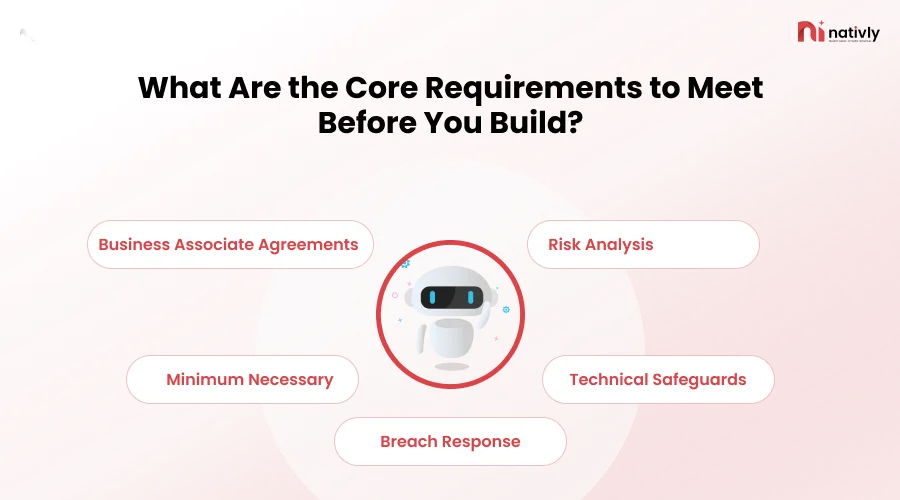
What Are the Core Requirements to Meet Before You Build?
Five requirements come first: a signed BAA with each vendor that manages PHI, a documented risk analysis, technical safeguards, the minimum-necessary principle, and a breach response plan. Skipping any of these can slow a product during legal review, even if the project has a large budget.
Business Associate Agreements
Without a BAA, don’t send PHI to a vendor. This includes hosting providers, email or SMS services, databases, and AI model APIs. Health and Human Services (HHS) explains these requirements in its cloud computing guidance. Various general-purpose AI app builders don’t sign BAAs.
A 2026 HIPAAVault post argues that popular AI coding platforms are not HIPAA-compliant hosting environments. Ask every platform directly, in writing, whether it will sign a BAA.
Risk Analysis
The HIPAA Security Rule needs a complete and precise risk analysis. Review the complete app, including every AI component, to spot possible security risks. Update the analysis whenever the app’s design or features change.
Minimum Necessary
Give an AI model only the patient information that needs to complete a task. For example, an AI feature that summarizes a medical visit rarely needs the patient’s full Social Security number or home address.
Technical Safeguards
- Access Control: Give each user a unique ID, limit access based on their role, and automatically log users out after a period of inactivity.
- Encryption: Protect PHI when it travels between systems and when it’s stored. Encryption is an addressable requirement under HIPAA; auditors and regulators expect organizations to prioritize it.
- Audit Controls: Keep records of who viewed or changed PHI, including when patient data is sent to AI services.
- Integrity and Authentication: Protect patient information from unauthorized changes and use multi-factor authentication (MFA) for administrators and staff.
Breach Response
HIPAA usually requires organizations to notify affected individuals about reportable breaches without unreasonable delay and no later than 60 days after identifying the breach.
Create a response plan before an incident happens so your team knows how to investigate the issue, restrict further exposure, and notify the right people on time.
How Do You Build a HIPAA-Compliant App with AI, Step by Step?
Define the PHI flow, prototype with synthetic data, vet vendors, add safeguards, test, and monitor after launch. Follow this sequence, and compliance becomes a part of the build rather than a late-stage patch.
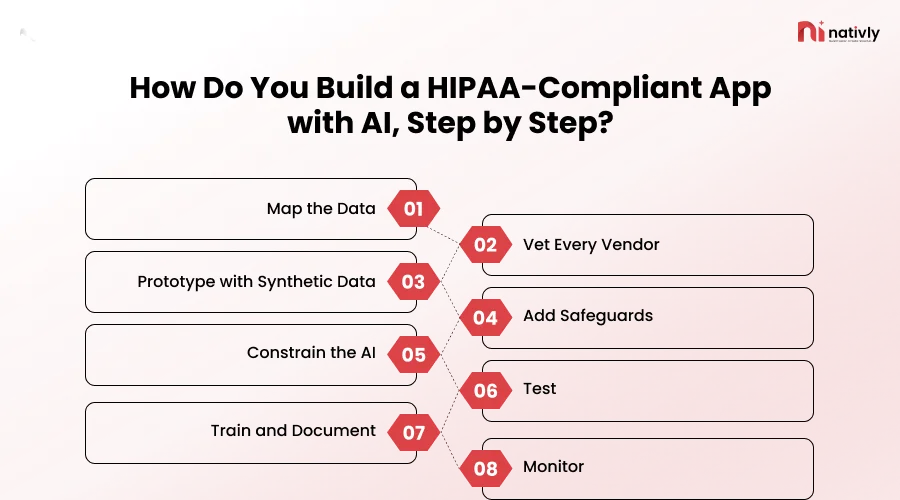
- Map the Data: List what PHI the app collects, where it’s stored, and which services see it.
- Vet Every Vendor: Request a BAA, security documentation, and details on model training and data retention. This enterprise AI app builder security checklist covers RBAC, SSO, audit logs, and data residency.
- Prototype with Synthetic Data: Use AI freely here. Real patient records stay out. For inspiration, you can build these app ideas with Nativly AI that show what a prompt-to-app workflow looks like.
- Add Safeguards: Build in authentication, encryption, role-based access, and audit logging.
- Constrain the AI: Limit the data each prompt can contain, and require clinician review for anything impacting the case.
- Test: Run penetration tests, access reviews, and prompt-injection tests on AI features.
- Train and Document: Staff should know what they can and can’t enter into the app.
- Monitor: Review logs, vendor changes, and your risk analysis on a schedule.
How Do You Handle PHI Inside AI Features Safely?
Consider every prompt and response as a possible PHI disclosure. Send PHI only to models covered by a BAA; strip identifiers when the task permits, and confirm in writing that your data is not retained or used to train models.
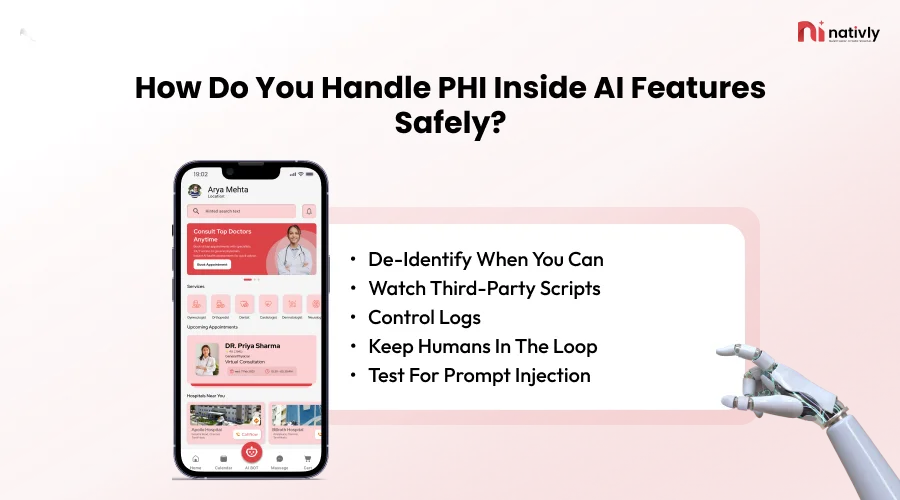
- De-identify When You Can: HIPAA recognizes two de-identification methods. Safe Harbor (removing 18 types of identifiers) and Expert Determination.
- Watch Third-party scripts: Avoid analytics or tracking tools on logged-in pages unless covered by a BAA.
- Control Logs: Prompts stored in debug logs or monitoring tools are still PHI.
- Keep Humans in the Loop: Models can produce confident errors. Clinical decisions need professional review.
- Test for Prompt Injection: Malicious text in a patient message shouldn’t be able to pull other patients’ data.
What Should Enterprises Look for in an AI App Builder or Development Partner?
Look for willingness to sign a BAA, enterprise access controls, clear data-handling terms, and EHR integration support. If a vendor can’t answer these directly, treat that as your answer.
| Question to ask | Good sign | Red flag |
| Will you sign a BAA? | Yes, with clear scope | “Our terms already cover it” |
| Is customer data used for model training? | No, in writing | Vague or opt-out only |
| Where is data hosted, and how is it encrypted? | Named regions, encryption at rest and in transit | No documentation |
| What audit logs and role controls exist? | Exportable logs, SSO, RBAC | Shared admin accounts |
| Can it integrate with EHRs (FHIR, HL7)? | Documented APIs | Manual workarounds only |
Nativly positions itself as a no-code AI builder for native Android and iOS apps, with an enterprise offering that includes dedicated support. Its guide on how to choose an AI app builder for your enterprise is a useful companion to the table above.
Nativly’s own security checklist notes that its public pages don’t document security controls and advises requesting security documentation directly. Healthcare enterprises should do exactly that and request a BAA before any PHI is involved.
What’s Changing in HIPAA Rules Right Now?
HHS proposed a primary HIPAA Security Rule update in January 2025, but final action has slipped from May 2026 to July 2027. The current rule stays completely enforceable in the meantime.
According to a Davis Wright Tremaine analysis of the federal regulatory agenda, the rulemaking moved from “final rule stage” to “long-term actions.” Paubox notes that the existing Security Rule continues to apply. Separately, Fierce Healthcare reports HHS is moving ahead with a Privacy Rule update.
The proposal would make practices like encryption and multi-factor authentication explicit requirements. Building them in now means less rework later, whatever the final text says. Check HHS and the Federal Register for current status before relying on any date.
Bottom Line
AI builds healthcare apps quickly, but speed only matters if the app can survive a compliance review. Map your PHI, prototype with synthetic data, lock down vendors with BAAs, and build safety in from day one. This way, you can make AI an advantage instead of a liability.
Related Reading from Nativly
Enterprise AI App Builder Security Checklist: SSO, RBAC, Data Residency, and Audit Logs
How to Choose an AI App Builder for Your Enterprise